
Best AI Marketing Tools – Are you searching for the Best AI Marketing Tools in 2025 ? Whether you’re a beginner or pro marketer, this guide will help you explore powerful tools to speed up your content creation, automate campaigns, and boost results.
AI Marketing Tools are computer programs that help marketers do tasks faster and smarter. They use artificial intelligence (like machine learning or natural language processing) to write content, analyze data, automate workflows, predict trends, and more.
Today nearly every company is using AI: 92% of business leaders plan to boost AI spending in the next three years.
In 2025, even small marketing teams (and beginners) benefit from learning these Best AI Marketing Tools. AI can write draft emails and posts, suggest keywords, design ads, analyze campaign results, and even scan social media for brand mentions. This saves lot’s of time and money, while improving results.
For example:
Surfer SEO (used by FedEx, Shopify and others) uses AI to help your content rank higher.
Jasper AI (used by 350,000+ writers) can mimic a brand’s writing style and generate blog posts and ads.
There are many categories of AI marketing tools : content tools (like ChatGPT, Jasper, Copy.ai) that help write blog posts, ads or emails.
SEO and research tools (Surfer SEO, MarketMuse, Frase) that suggest topics and keywords.
Analytics tools (like Google Analytics with AI insights, FullStory, Brand24) that analyze user behavior and sentiment.
Advertising tools (Albert.ai, Pattern89) that automate ad campaigns and Automation platforms (Zapier, Gumloop) that connect apps and trigger AI-based actions.
Social listening tools (Brand24, Sprout Social) that scan the web for mentions and Chatbots (ManyChat, Chatfuel) for customer chats.
And even Stock Market AI Tools (TrendSpider, Trade Ideas, Tickeron) that predict trends.
In Affiliate Marketing, AI tools help create persuasive product copy, automate email sequences, and analyze performance.
Overall, AI marketing tools make digital marketing easier and more effective – from automating repetitive work to finding new insights in data. The tools below span these categories, with simple pricing and key uses for each.
Comparison of Top AI Marketing Tools
| Tool | Key Function | Starting Price |
|---|---|---|
| ChatGPT (OpenAI) | AI writing and Q&A (chatbot) | Free; ChatGPT Plus $20/mo |
| Jasper.ai | AI copywriting (blogs, ads) | from $59/mo |
| Surfer SEO | AI content optimization (SEO) | from $79/mo |
| Brand24 | Social listening (mentions, sentiment) | from $149/mo |
| Trade Ideas | AI stock market signals | $89/mo (Basic plan) |
Now that you understand why AI marketing tools are the future, now , it’s time to explore the real magic of AI Marketing tools of 2025 🎩✨.
I personally used more than 35 AI Marketing Tools mention below. out all the AI Marketing tools, I picked the best tools that can save you hours of work, boost your sales, and make marketing way easier — even if you’re just starting out.
In each section, you’ll find what the tool does, how much it costs, and where it shines the most.
Stick around till the end — we’ve also added a powerful FAQ section and bonus tips that most blogs miss. Let’s get started!”
AI Marketing & Workflow Automation
1. Gumloop AI – Automate Your Workflows with No-Code Intelligence
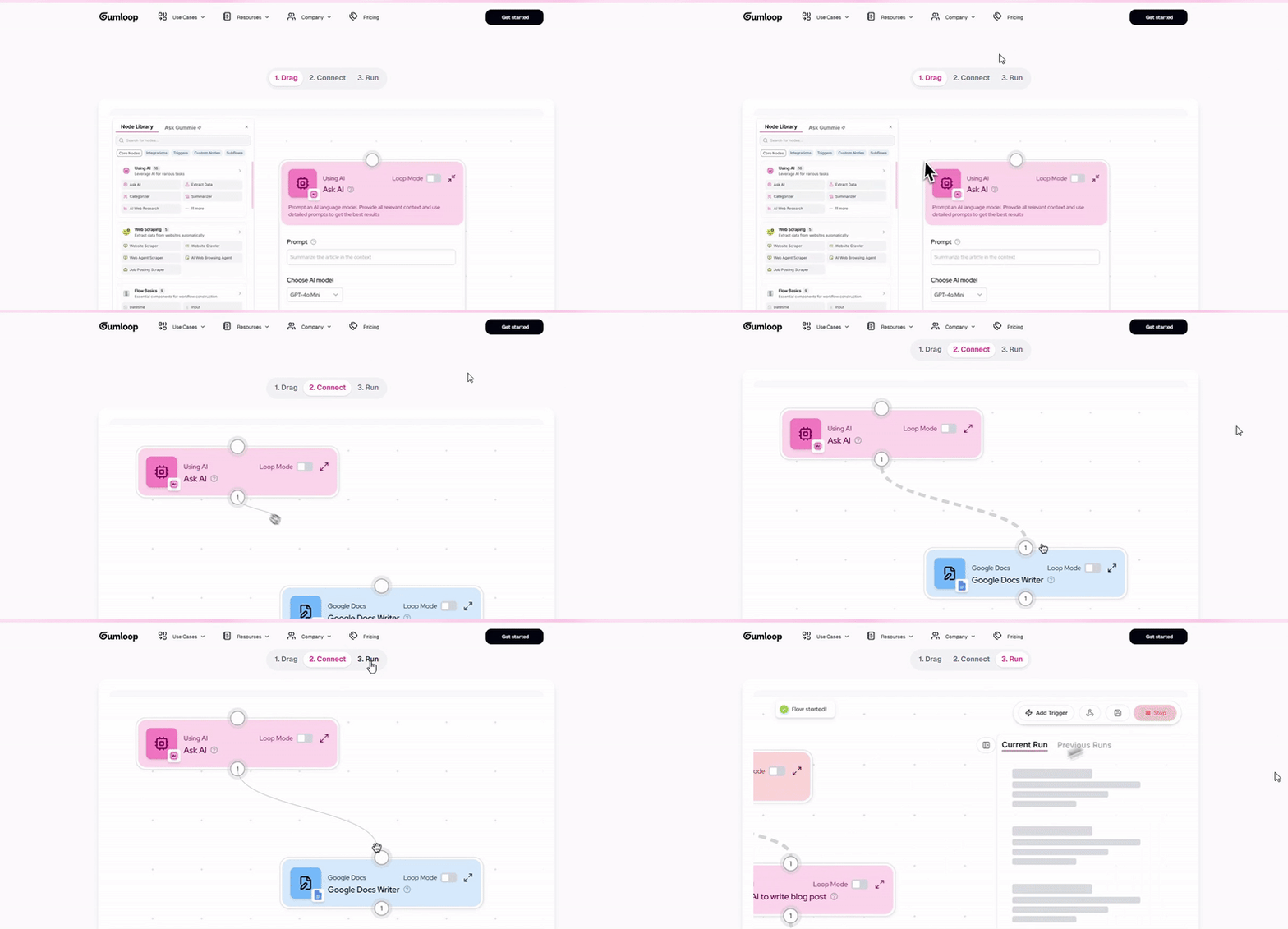
Gumloop – Best AI Marketing Tool for No-Code AI Workflow Builder.
Gumloop AI – lets marketers build Automated “AI zaps” without coding.
You can connect any AI model (like GPT-4, Claude, Grok) to your apps and workflows, just by drawing them out.
Gumloop AI is a powerful no-code automation platform that helps marketers, developers, and business owners streamline repetitive tasks using artificial intelligence.
Backed by Y Combinator, Gumloop AI offers a user-friendly interface, advanced integrations, and AI-driven triggers that let you build complex workflows without writing a single line of code.
Whether you’re connecting marketing tools, scraping data, or creating custom AI pipelines, Gumloop AI delivers speed, flexibility, and scalability.
For teams managing multiple tools, the Gumloop Chrome Extension adds quick automation shortcuts directly in your browser.
You can capture data, trigger workflows, and even run AI models on the go — making it a valuable addition for busy marketers and growth hackers.
For example, you could set Gumloop AI to scrape a website for product data, pass it through an AI model, then send a report to Google Sheets – all automatically. It works like Zapier + ChatGPT combined.
Many companies use Gumloop AI to automate data collection and customer follow-ups.
Key Features & Uses of Gumloop AI
- Drag-and-Drop Workflow Builder – Design automation flows visually without coding.
- AI-Powered Actions – Incorporate natural language processing, image recognition, or custom AI models into workflows.
- Over 200 Integrations – Connect Gumloop to CRMs, marketing tools, analytics dashboards, and databases.
- Custom API Support – Build advanced, API-based automations for unique business needs.
- Real-Time Data Processing – Handle live data streams for instant decision-making.
- Gumloop Chrome Extension – Trigger workflows and capture data from any webpage instantly.
- Pre-Built Templates – Get started quickly with automation templates for sales, marketing, and analytics.
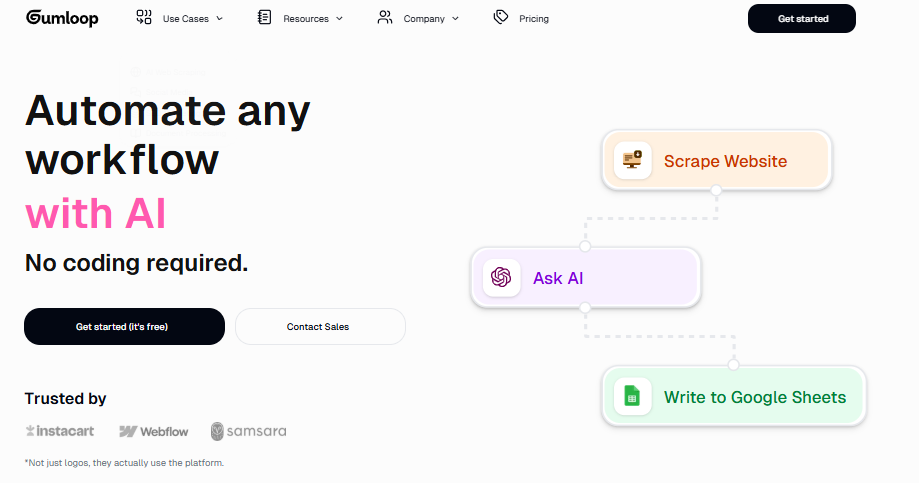
Quik Fact of Gumloop AI
| Feature | Gumloop AI Details |
|---|---|
| Founded | Backed by Y Combinator |
| Best For | No-code AI automation for marketing, sales, and data teams |
| Integrations | 200+ apps including Slack, HubSpot, Google Sheets, and more |
| Platforms | Web, Chrome Extension |
| Pricing | Free tier + Paid plans starting from $19/month |
Pros & Cons of Gumloop AI
| Pros ✅ | Cons ❌ |
|---|---|
| Easy-to-use drag-and-drop interface | Limited offline functionality |
| Powerful AI model integration | Advanced API features may require technical setup |
| Affordable pricing for startups | Fewer integrations than Zapier |
| Backed by Y Combinator for credibility | Relatively new, smaller community |
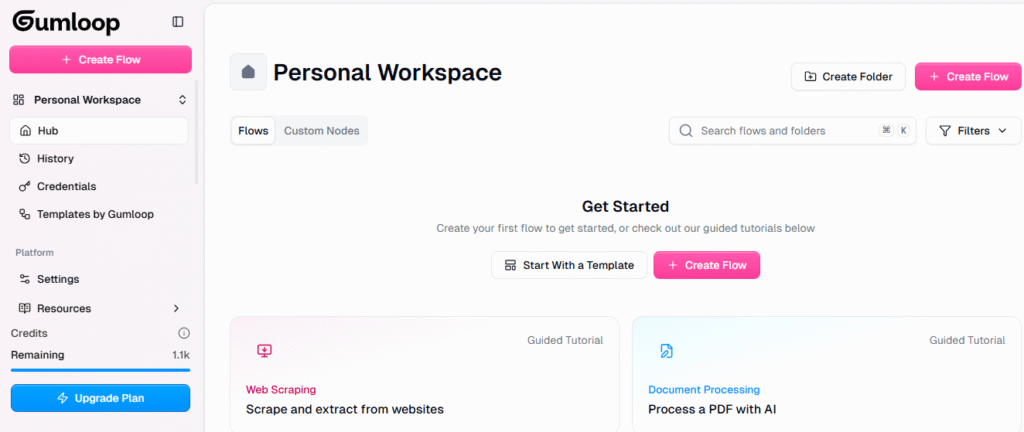
Comparison : Gumloop vs n8n
| Feature | Gumloop AI | n8n |
|---|---|---|
| Ease of Use | Beginner-friendly, visual builder | Requires more technical setup |
| AI Features | Built-in AI actions | Limited AI support (requires custom setup) |
| Integrations | 200+ pre-built | 300+ pre-built |
| Pricing | Starts at $19/month | Free + Paid cloud hosting |
| Best For | Non-technical teams needing AI automation | Developers & tech-savvy users |
Comparison: Gumloop vs Zapier
| Feature | Gumloop AI | Zapier |
|---|---|---|
| Ease of Use | Drag-and-drop with AI focus | Drag-and-drop automation |
| AI Features | Integrated AI models | Limited AI support |
| Integrations | 200+ apps | 5000+ apps |
| Pricing | More affordable for small teams | Higher cost at scale |
| Best For | AI-powered workflows | General app-to-app automation |
Main uses of Gumloop AI :
- Automate tasks by connecting AI models to apps (no coding)
- Web & app scraping: extract data into tools like Notion or Google Sheets
- Continuous AI agents: set bots to run tasks 24/7 (e.g. research, monitoring)
Real Feedback of Gumloop AI
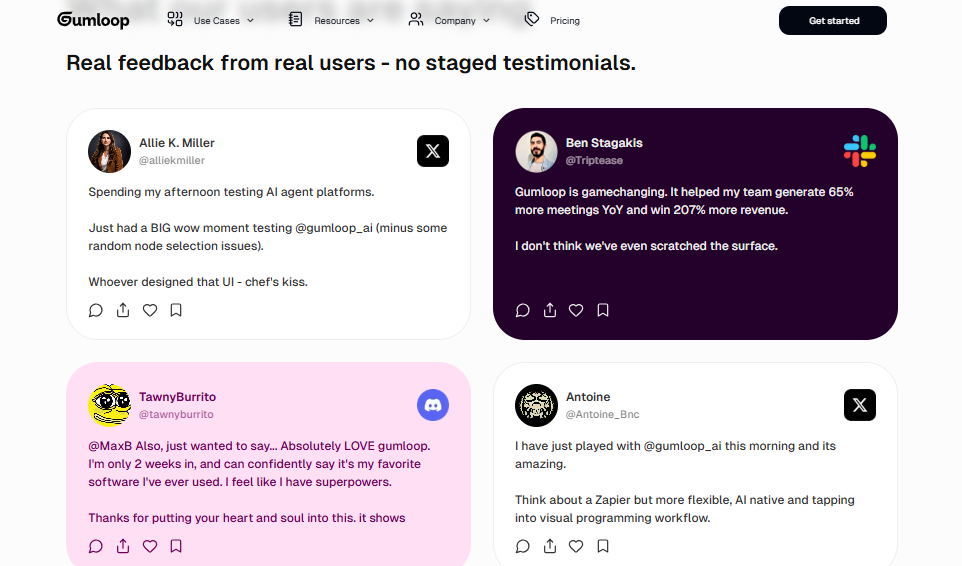
Final thought regarding Gumloop AI
If you’re looking for a Gumloop alternative, tools like n8n, Zapier, and Make are great choices — but Gumloop’s AI-powered automation and Y Combinator backing make it a standout for marketers and small teams. With its simple UI, Chrome extension, and growing integrations list, it’s an excellent pick for anyone wanting to automate without coding.
2. Zapier – The Go-To Tool for Workflow Automation & AI Integration in 2025
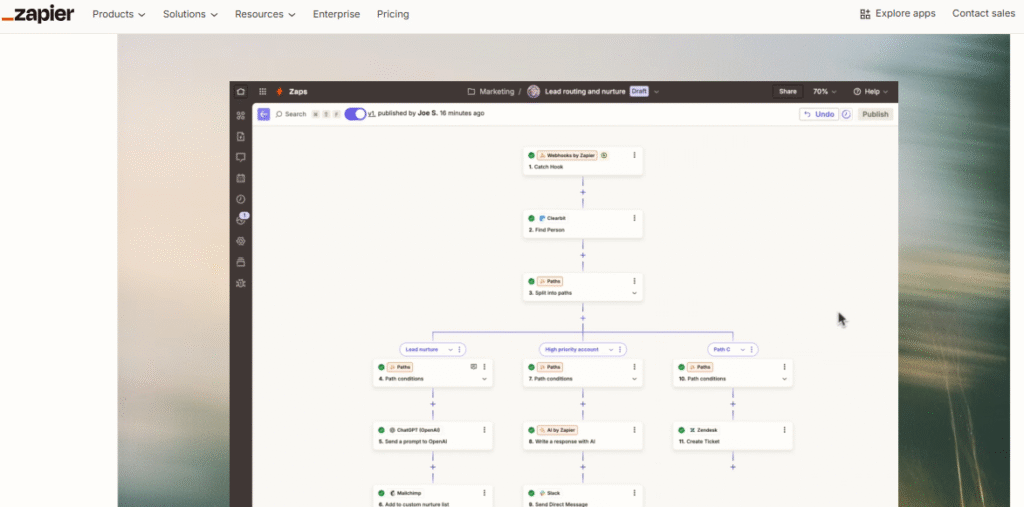
Zapier – Classic Automation for Marketing.
Zapier is a leading automation tool that empowers marketers, freelancers, and businesses to automate repetitive tasks by connecting over 8,000+ apps in a no-code environment.
As of 2025, Zapier has enhanced its offering with AI-powered workflows, chatbots, and AI orchestration capabilities—perfect for bringing intelligent automation to everyday marketing tasks.
you can say Zapier is like “AI Lego” for tech: it connects 8,000+ apps (social, CRM, email, etc.) into Automated Workflows.
You create “zaps” that trigger actions (e.g. “When I get a new email, post it to Slack”). This saves time by doing repetitive work automatically. Many marketers use Zapier to glue their tools together and cut manual tasks.
Zapier especially become more powerful when combined with AI
for example, you can call an AI (like ChatGPT) inside a zap to generate text or analyze data before pushing it on.
Key Features of Zapier
- No-code workflow builder – Create multi-step “Zaps” with visual logic and integrations.
- Extensive integrations – Seamlessly connects with apps like Gmail, Slack, HubSpot, and more (8,000+).
- AI-powered actions – Use AI for text parsing, content generation, intelligent routing, and chatbot workflows.
- Zapier Canvas & Interfaces – Visual diagramming tool and custom UI builder for workflow planning.
- Zapier Tables – Built-in no-code database to store and manage workflow data.
- Zapier Copilot – LLM-based helper that assists with automation setup using natural language prompts.
Comparison: Zapier vs Make
| Feature | Zapier | Make |
|---|---|---|
| Ease of Use | Very intuitive & beginner-friendly. | More complex; visual drag-and-drop with steeper learning curve. |
| Pricing Efficiency | $19.99 for 750 tasks (~$0.026/task). | $9 for 10,000 operations (~$0.0009/op) – far cheaper per action. |
| Integration Library | 8,000+ apps | Fewer integrations, but growing |
| Best For | Quick setups, non-tech users | Budget-conscious users needing scalable automation |
| Budget Use Cases | Predictable billing for simple workflows | High-value ops-heavy scenarios favor Make’s pricing. |
Comparison: Zapier vs n8n
| Feature | Zapier | n8n (Cloud/Self-Hosted) |
|---|---|---|
| Ease of Use | Very easy, no-code focused. | Medium–hard; low-code oriented |
| Hosting Options | Fully cloud-based | Self-host or use managed cloud. |
| Workflow Flexibility | Templates and logic paths, limited loops | Advanced logic, loops, scripts, full control |
| Pricing Model | Task-based tiers | Monthly price for executions; no premium apps. |
| Best For | Beginners seeking simplicity | Developers and power users needing customization |
Pricing:
Free tier (limited zaps); Paid plans from ~$25/mo (billed annually)
Main Use of Zapier
- Automate cross-app tasks (e.g. new lead → CRM entry).
- Branching workflows: use logic (If/Then) to handle complex processes.
- Boost productivity: eliminate manual entry and errors.
3. ActiveCampaign
ActiveCampaign – AI Email & CRM Automation.
ActiveCampaign is an email marketing and CRM platform with built-in AI. Its Predictive Sending feature uses machine learning to send each email at the time a contact is most likely to open it.
This improves open and click rates automatically. It also has an AI Automation Builder – you describe a customer journey in plain text, and it generates a full automated workflow with emails, delays, and decisions.
Teams use this to build advanced campaigns (like drip series or onboarding flows) in seconds.
Pricing:
Plans start around $9–$29/mo (billed annually) for small lists; higher for more contacts.
Main Use of ActiveCampaign
- AI-powered email scheduling (sends emails when contacts engage most).
- Automated campaign building (text-to-automation).
- Contact scoring and CRM insights (prioritize leads with AI).
4. HubSpot ( AI Tools )
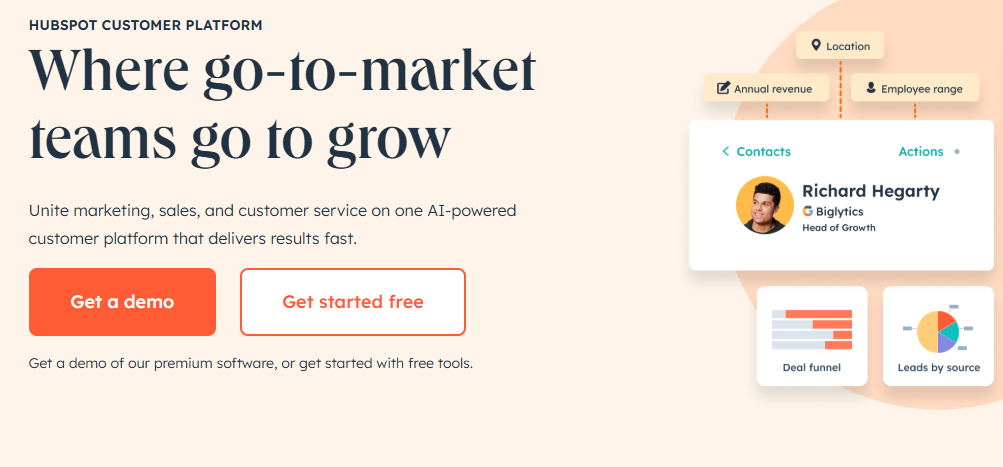
HubSpot (AI Tools) – Inbound Marketing AI.
HubSpot’s marketing platform now includes AI features across its tools. For example, HubSpot Chatbots can answer common customer questions instantly, route leads, and book meetings.
Its content editor offers AI suggestions for SEO keywords and content quality. Email and ad tools use AI for personalization (e.g. smart send times or subject lines).
HubSpot’s free CRM also integrates data from these AI features. Many small businesses use HubSpot’s AI-powered workflows to handle tasks like lead qualification and customer follow-up.
Pricing:
HubSpot has a free tier; paid marketing plans from about $20–$50/mo depending on features.
Main Use of HubSpot’s
- AI chatbots to engage website visitors automatically.
- AI content insights (keywords, readability) in blog and email tools.
- Automated lead nurturing (email sequences with AI timing).
AI Content and Copywriting Tools
5. ChatGPT ( OpenAI )
ChatGPT (OpenAI) – AI Content Assistant.
ChatGPT (based on GPT-4) is a general-purpose AI chatbot that can write and answer questions. Marketers use it to draft blog posts, ad copy, social media captions, email outlines and more.
You type prompts like “Write a 150-word Facebook ad about running shoes,” and it generates a draft instantly.
It can also brainstorm ideas, translate text, or rewrite content in a certain tone.
ChatGPT has a free tier and a paid ChatGPT Plus plan (~$20/mo) with faster performance.
Real brands use ChatGPT to speed content creation while reviewing output for accuracy.
Main Use of ChatGPT
- Generate written content: blog intros, product descriptions, ad copy.
- Brainstorm titles, taglines, and keywords.
- Write or summarize emails and outreach messages.
6. Jasper.ai
Jasper.ai – AI Copywriting Assistant.
Jasper (formerly Jarvis) is a specialized AI writing tool built for marketers. It “knows” your brand’s voice and can write blog posts, social posts, email drafts, ads, landing pages and more.
For example, ask Jasper to draft a 150-word product description or a friendly Facebook ad, and it adapts to the tone you set. Many businesses use Jasper to scale up their content.
it has 90+ templates (for ads, sales copies, blog outlines, etc.), supports 30+ languages, and can even include the latest news using its RAG (Retrieval-Augmented Generation) feature.
Over 100,000 companies use Jasper, and it has a 4.8/5 user rating.
Pro plan starts at about $59/month (annual billing); business/custom plans available for large teams.
Main Use of Jasper AI
- AI-generated copy for blogs, ads, emails, and social media.
- Consistent brand tone across all content.
- Multi-language content creation and translation.
- Content ideas and outlines (Jasper can draft outlines, titles, and intros).
7. Copy.ai
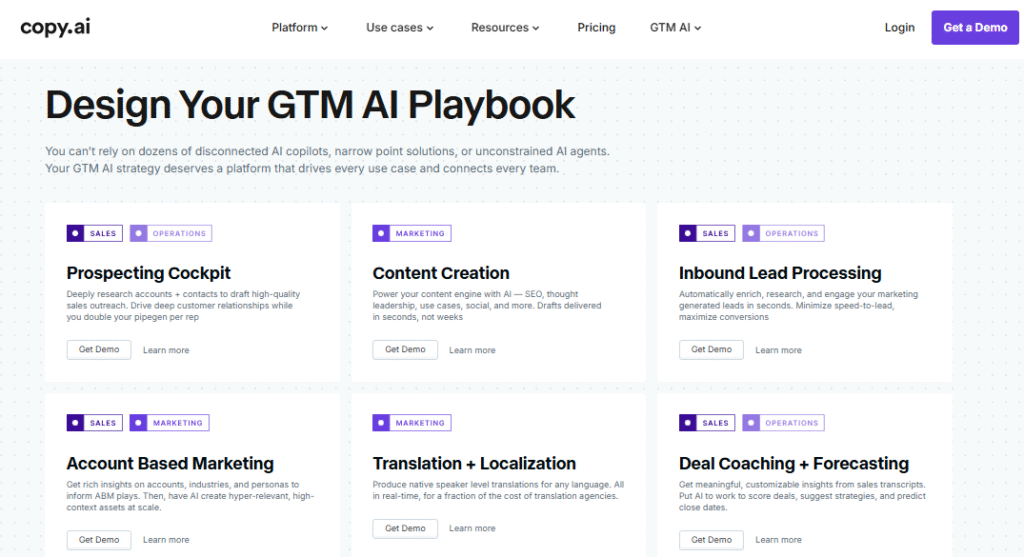
Copy.ai – AI Content and Workflow Automation.
Copy.ai is an AI writing platform with a focus on marketing workflows. It offers chat-based writing plus pre-built tools for ads, social posts, emails, and blogs.
Unlike a generic chatbot, Copy.ai includes workflows (preset sequences) to automate marketing tasks across teams.
For example, it can automatically generate a series of Facebook ads or email outreach sequences. It also remembers your brand voice.
Many teams use Copy.ai to speed up content creation while still editing the output for accuracy.
Pricing:
Free plan (limited words); Starter at $49/month (billed annually $36); Advanced ~$249/mo ($186 annual) for teams.
Just like Copy.ai, there is also Frase — another powerful AI Marketing Tools. Below is a quick comparison table to help you choose the right one for your needs.
Frase vs Copy.ai: Which AI Marketing Tool Is Best for you in 2025 ?
| Feature | Frase (SEO-focused AI tool) | Copy.ai (Content & Workflow AI tool) |
|---|---|---|
| Primary Use | SEO-driven AI content marketing and research tool | Short‑form AI marketing content & automated workflows |
| Best For | Marketers focusing on market research, SEO optimization, and ranking content | Marketers automating digital marketing tasks, ads, emails, and workflows |
| AI Capabilities | Generates SEO content briefs, keyword optimization, extracts People Also Ask questions and questions to answer | Chat-based writing assistant with workflow automation across social, email, ads |
| Content Output | Long-form, search-optimized articles and briefs | Short-form copy—ads, social posts, emails—with brand voice memory |
| SEO Features | Yes—integrates content gap analysis and real-time SEO score for ranking | No built-in SEO; focuses on copy format and scalability |
| Integration & Plugins | Connects with Google Docs, WordPress, HubSpot; Chrome extension available | Workflow tool, but limited third-party integrations; works inside its platform |
| Pricing (from) | ~$45/month (basic) or ~$38/mo annual | $36/month enterprise (billed annually) or $49 normal starter |
| Strength | Perfect for ai tools for market research and crafting content that ranks | Ideal as ai tools for digital marketing, to generate scalable content across channels |
| Weakness | Not ideal for social ads or email sequence automation | Lacks SEO depth and SERP-driven research capability |
Which One Should You Use ( Frase.io or copy.ai ) ?
Choose Frase : if you’re looking for an AI tool for content marketing or market research—it helps you generate SEO-optimized blog posts and outlines based on keyword data. It’s one of the top ai marketing tools for creating ranking content.
go for Copy.ai: if you need to automate marketing content workflows across teams—such as generating multiple ad copies, email sequences, and social media posts.
It shines among ai tools for digital marketing and affiliate marketing, thanks to its workflow-centric features.
Note :
Both Frase and Copy.ai are powerful AI marketing tools, but they serve different goals:
- Use Frase when SEO is your priority and content needs to rank.
- Use Copy.ai when you need fast production and automation for ads, emails, or social posts.
7. WriteSonic
Writesonic – AI Writing & SEO Platform.
Writesonic combines writing assistance with SEO tools. It can turn bullet points or outlines into long-form articles and also suggests keywords to rank.
Key features include AI Article Writer (draft blogs from text prompts) and AI SEO Assistant.
For example:
it can analyze Google results for a topic and then generate an optimized article outline. It also offers video features (ChatSonic for SEO, image tools, etc.).
Many content creators use Writesonic to quickly produce draft content and then refine it.
Pricing:
Plans start at $49/month for the Lite plan (15 AI article credits/month), $79/month for Standard (annual).
Main Use of Writesonic
- Generate long-form articles and blogs from keywords.
- SEO optimization: find high-volume keywords and create outlines.
- AI-assisted copy for emails, ads, and social content.
- Additional tools: text-to-SEO video features and voiceover creation.
8. Surfer SEO
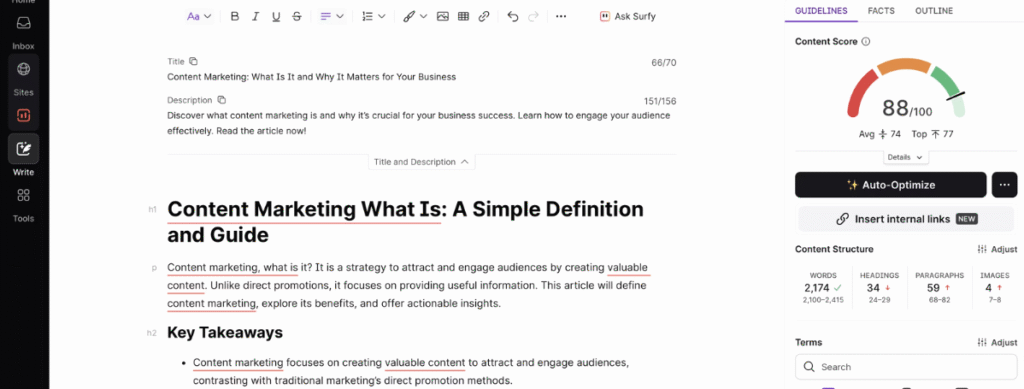
Surfer SEO – AI Content Optimization (SEO).
Surfer SEO helps you create web content that ranks higher on Google. As you write, Surfer analyzes your content in real-time against top-ranking pages.
It highlights the top keywords that competitors use, suggests an outline structure, and shows an overall SEO score.
For example:
it will tell you which related words to add or adjust headings. Many agencies and bloggers (including FedEx and Shopify clients) use Surfer to improve page SEO.
Plans start around $79/month (Essentials plan annually); higher plans allow more pages and content audits.
Main uses of Surfer SEO
- Real-time SEO scoring while writing (on-page SEO assistant).
- Keyword and content gap analysis (find missing topics).
- Content outlines: suggests headings and word counts.
9. MarketMuse
MarketMuse – AI Content Strategy & Planning.
MarketMuse is an AI platform for high-level content strategy. Unlike single-article tools, it scans your entire website to identify topic clusters and gaps.
For example:
it will tell you which topics you should cover to be more authoritative, or which existing pages to improve to outrank competition. It can also suggest a personalized content plan or “roadmap” of what to write next.
Large publishers and agencies use MarketMuse to systematically plan content calendars based on data, rather than guesswork.
Pricing: Plans range from free to enterprise (custom).
Main uses:
- Inventory analysis: audits all your pages and keywords.
- Topic discovery: finds high-value keywords and content gaps.
- Content briefs: creates detailed outlines for new articles.
- Strategy docs: visual plans of what to publish next.
10. Originality.ai
Originality.ai – AI Content & Plagiarism Detector.
Originality.ai is a tool to check if text was written by AI (like GPT-4) and to detect plagiarism. After generating copy with an AI, many marketers run it through Originality.ai to ensure it doesn’t look “too AI-generated” (it boasts up to 99% accuracy).
It also checks for plagiarism against web sources. In one click or via plugin, it highlights AI-written sentences and uncited text. This is useful for brands needing human-like writing or SEO content without penalty.
Pricing: Paid plans (starting around $27/mo) with credit-based usage.
Main uses:
- Detect AI-generated content (60+ AI models).
- Plagiarism checking against published content.
- Grammar and readability scoring (built-in).
AI Writing Helpers & Editors
11. Grammarly
Grammarly – AI Writing Assistant.
Grammarly checks grammar, style, and tone in real-time as you write. Its AI under the hood suggests corrections for spelling, clarity, and conciseness.
It also offers one-click tone adjustments and can summarize text for you. Marketers and writers use Grammarly to polish blog posts, emails, and social content.
For business users, it can highlight missing details like calls-to-action and improve persuasive language.
Pricing: Free version available; Premium ~$12/month (annual billing) for advanced suggestions.
Main uses:
- Grammar and spell check in articles, emails.
- Style and tone adjustments (formal, friendly, etc.).
- Summaries and rephrasing for clarity.
12. Hemingway Editor
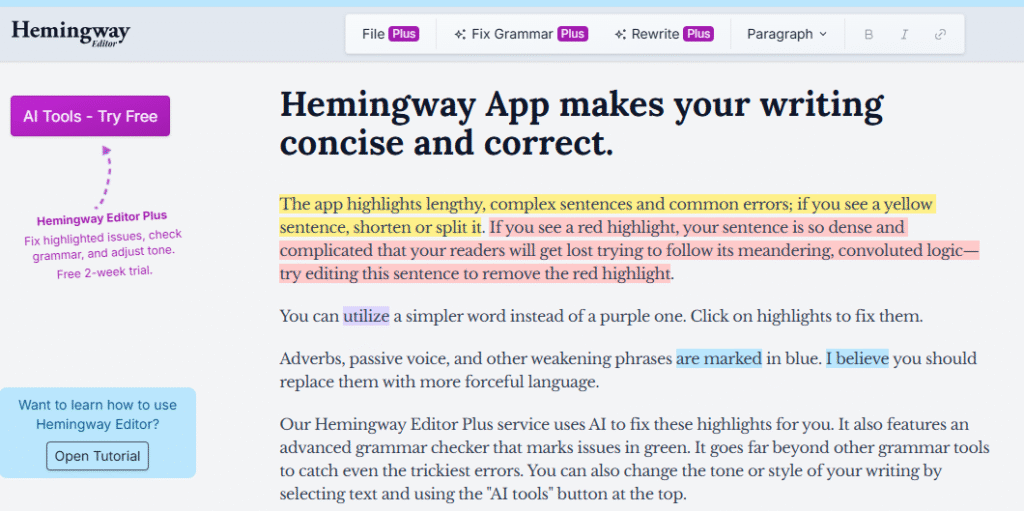
Hemingway Editor – Content Simplifier.
The Hemingway App highlights complex sentences and passive voice in your writing. It isn’t AI in the generative sense, but an algorithmic editor to make copy bold and clear.
It points out long sentences, difficult words, and readability grade levels. Content teams use Hemingway to ensure their marketing copy is easy to understand (often aiming for a low grade level). It’s free as a web app, with a one-time paid desktop version.
Main uses:
- Improve readability: suggests simpler words and shorter sentences.
- Highlight passive voice and adverbs.
- Format drafts: apply bold or italic with markdown-like syntax.
AI Design & Media Tools
13. Canva – ( Best AI tools For graphics Designing )

Canva (AI Features) – Design Made Simple.
Canva is a graphic design tool with AI-powered features. It offers a free design editor for social posts, ads, and thumbnails.
Its AI tools include Magic Resize (auto-adjust images for different platforms) and an AI Image Generator (text-to-image) to create custom graphics.
Marketers use Canva to quickly produce visuals without hiring a designer. (For example, you can type “summer sale poster” and get a ready-made design template.)
Canva is free to start; Pro upgrade ~$12.99/mo unlocks premium assets.
Main uses:
- Drag-and-drop design of social posts, banners, ads.
- AI background remover for photos.
- Text-to-image generator (create unique visuals from prompts).
14. Lexica Art

Lexica Art – AI Image Generator.
Lexica is an AI tool that generates realistic images from text prompts (similar to DALL·E). Marketers can use it to create custom blog thumbnails, social media images, or ad illustrations without stock images.
For example, a company could type “blue and gold abstract technology background” to get a unique banner.
Lexica also saves prompts so you can get consistent “on-brand” art. It’s often used to move beyond generic stock photos and make content stand out.
Pricing: Free limited use; paid plans with more images.
Main uses:
- Create custom images for blog posts, ads, and social media.
- Brand-consistent visuals via saved prompts.
15. PhotoRoom
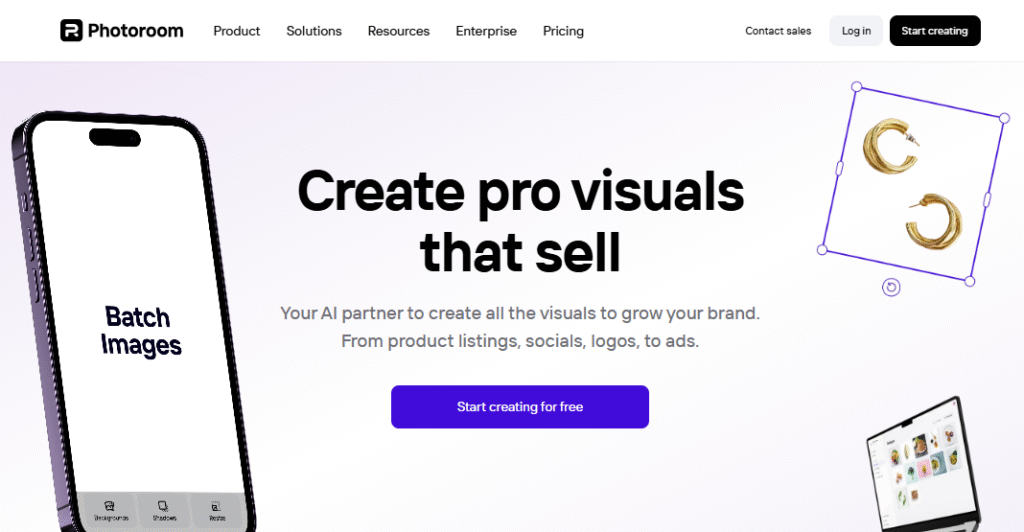
PhotoRoom – AI Photo Background Removal.
PhotoRoom is a free/paid app that automatically cuts out a subject from a photo in seconds.
For example:
if you have a product or “meet the team” portrait, PhotoRoom will remove the background (making it transparent) so you can place the subject on any new background.
This is great for quickly making professional-looking product shots or profile images. It also offers mobile apps for on-the-go editing.
Pricing: Free basic; premium plans for batch editing and higher resolution.
Main uses:
- Remove or replace photo backgrounds instantly.
- Create product images and avatars with uniform backgrounds.
- Batch-process multiple images (in paid plan).
16. LALAL.AI
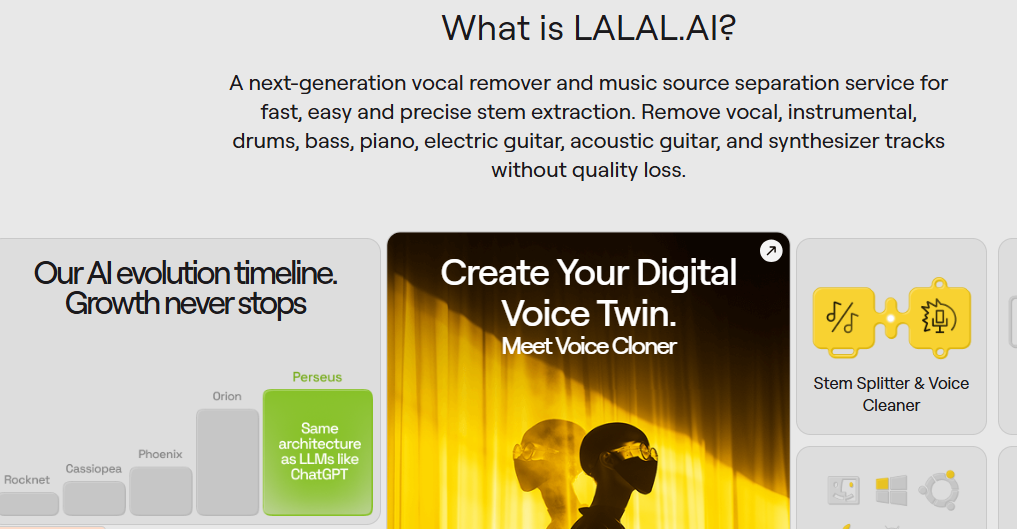
LALAL.AI – AI Audio Cleaner.
Although aimed at musicians, LALAL.AI is useful for marketers making video/audio content. It uses AI to remove background vocals or noise from audio tracks.
For example:
podcasters or video creators can clean up their recorded narration (removing traffic or crowd noise) without losing voice quality. You simply upload an audio file and choose “voice cleaner,” and it outputs a clearer track.
Free trials available; paid (from ~$10 for small plan, up to one-time packages for large tasks).
Main uses:
- Remove background noise (cars, wind) from voice recordings.
- Separate vocals from music (stem splitting).
- Clean up audio for podcasts and videos.
17. Crayo
Crayo AI – AI Video Content Creation.
Crayo.ai is a tool for short-form video creators (TikTok, YouTube Shorts). It helps ideate and produce videos with AI assistance.
For example:
it can generate a script or storyboard for a trend-based video, provide stock clips and voiceovers, and even automate cutting and captions to make videos “go viral”. It’s designed by short-video experts to speed up content production. Influencers or marketers use Crayo to quickly prototype reels and test new video ideas.
Pricing: Free trial; paid monthly/yearly tiers.
Main uses:
- Auto-generate short video scripts and scenes (for TikTok, Reels).
- AI-powered video editing (voiceover and caption generation).
- Trend analysis: suggests what content might go viral.
18. Pictory

Pictory – AI Video Maker from Text.
Pictory is a web platform that converts text into videos. For instance, you paste a blog URL or script, and Pictory finds relevant images/video clips and turns it into a narrated video.
It has an AI Video Editor: you can edit clips, add transitions, and generate professional voiceovers from text. Marketers use Pictory to make explainer videos or social shorts from existing content. It also offers tools like “Text-to-Video,” “Script-to-Video,” and even an AI voice generator.
Pricing: Plans start around $19/month for the Starter tier (basic video minutes and features).
Main uses:
- Convert articles or scripts into engaging videos with stock visuals.
- Automatic voiceover generation for videos.
- Transcribe and subtitle videos (AI captions).
19. Murf.ai
Murf.ai – AI Voiceover Generator.
Murf.ai creates lifelike voiceovers from text. You type or paste a script, pick a voice (male/female with different accents), and Murf generates natural-sounding audio.
Marketers use this to add professional voiceovers to explainer videos or ads without hiring a voice actor. It also offers an AI video editor to sync voiceovers with slides or clips.
Pricing: Free trial; paid plans from ~$13/month.
Main uses:
- Generate professional voiceovers for videos and presentations.
- Multilingual voice options (lots of languages and styles).
- Edit audio (remove filler words, adjust intonation).
AI Analytics, SEO & Research Tools
20. Google Analytics (GA4 Insights)
Google Analytics (GA4 Insights) – AI Data Analysis.
Google’s free analytics platform now includes AI-powered insights. It uses machine learning to auto-detect significant changes (like sudden traffic spikes) and can forecast future trends (e.g., expected revenue).
Marketers can ask GA4 questions in natural language (e.g. “How many users did I have last month?”). This helps even beginners get quick answers from their data.
Main uses:
- Automated anomaly detection (alerts you to big data changes).
- Predictive metrics (like potential sales).
- Instant answers to queries (in GA4 Insights).
21. FullStory
FullStory – Digital Experience Analytics.
FullStory is an analytics tool that records user sessions on your website or app. It can use AI to highlight friction points.
for example:
it might auto-flag pages with high error rates or show where users rage-click. Marketing teams use FullStory to see exactly how visitors interact with a funnel or landing page, and then fix issues. (Note: FullStory itself is more analytics than generative AI.)
Pricing: Free basic plan; paid based on session recordings.
Main uses:
- Session replay: watch visitors navigate your site.
- AI-driven insights: find errors or high drop-off pages.
- Segment users by behavior to optimize UX.
22. BuzzSumo
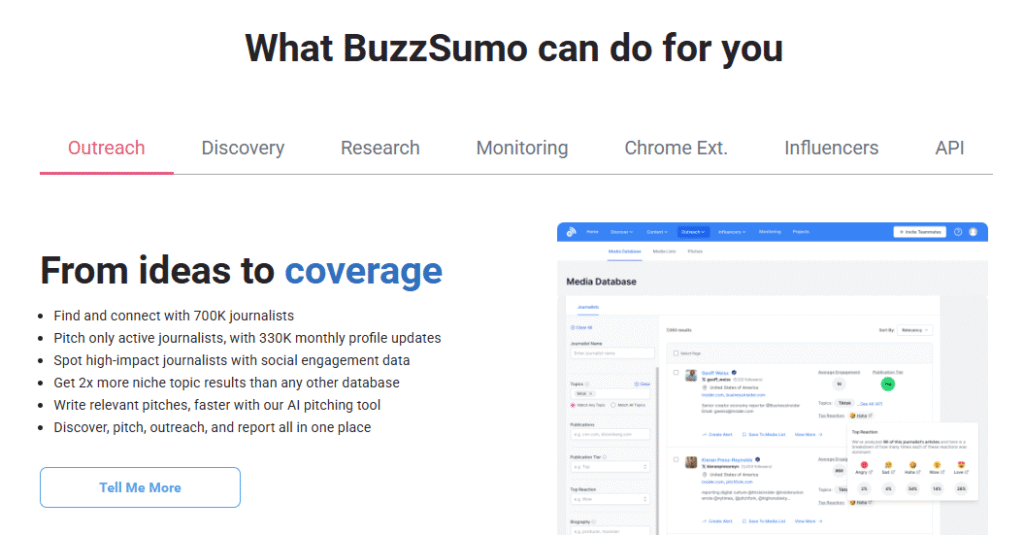
BuzzSumo – Content Trend Analysis.
BuzzSumo isn’t full AI, but it’s a research tool to find trending content and influencers. You can search for a topic and see the most shared articles on social media, and who shared them.
Marketers use it to discover what type of content is hot in their niche and to find partner influencers.
Pricing: Plans start around $99/month.
Main uses:
- Identify high-engagement content in your industry.
- Discover and analyze influencer reach.
- Content gap research (what questions are trending).
Market Research Tools Similar to ( SimilarWeb, Statista)
Market Research Tools (e.g. SimilarWeb, Statista) – Many tools use AI to help with market research. For example, SimilarWeb uses algorithms to estimate website traffic and user behavior for any domain, which helps you analyze competitors.
Survey platforms like SurveyMonkey have AI (SurveyMonkey Genius) to generate good survey questions or analyze responses. Social listening tools like Brand24 (below) use AI to scan web mentions.
23. Brand24
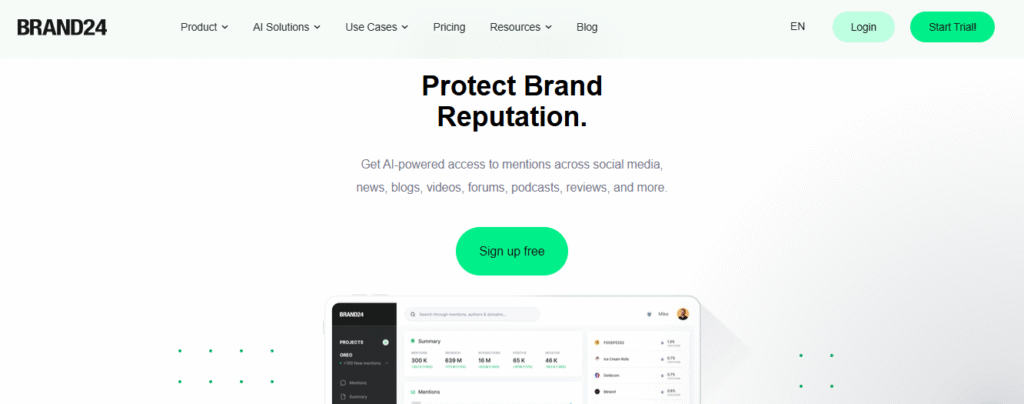
Brand24 – AI Media Monitoring.
Brand24 continuously scours the web (news sites, blogs, forums, social media) for mentions of your brand or keywords. It then applies AI sentiment analysis to classify mentions as positive or negative.
For instance, if someone complains on Twitter, Brand24 will flag it so you can respond quickly. Marketers use Brand24 to track brand reputation and spot trends (like a sudden hashtag). It also highlights top influencers and common themes.
Starts at $149/month for the Individual plan (3 keywords, 2K mentions/month).
Main uses:
- Monitor brand/product mentions across social, news, forums.
- Sentiment analysis (detect positive/negative posts).
- Trend spotting (hashtags, topics discussed) and influencer identification.
24. Ahrefs AI Content Helper
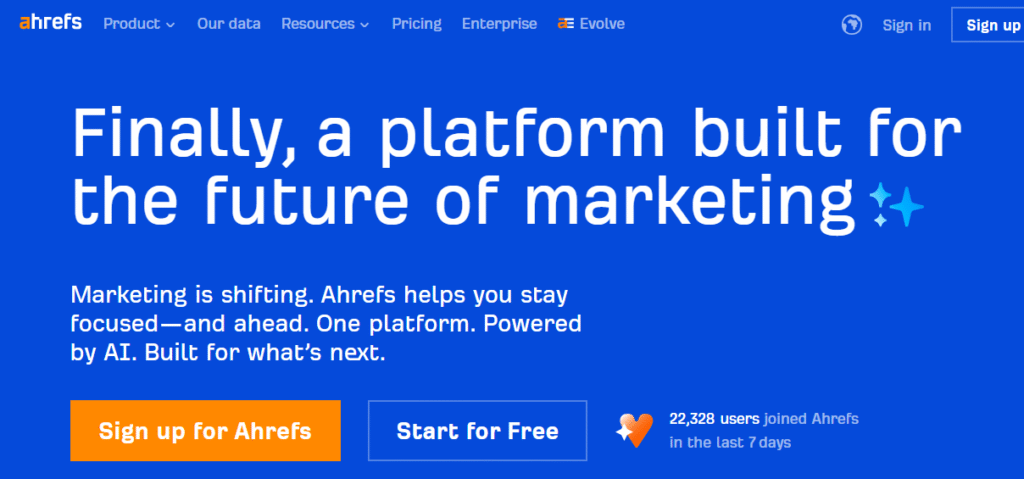
Ahrefs AI Content Helper – On-Page SEO Assistant.
Ahrefs, known for SEO tools, added an AI Content Helper. It analyzes the top search results for your keyword and recommends content topics and related entities to cover.
It scores your draft content out of 100 based on topic coverage. While not a standalone app, it integrates into Ahrefs’ Keywords Explorer. Marketers use it to refine blog drafts so they cover all SEO angles.
Main uses:
- Topic research: suggests subtopics and keywords from top-ranking pages.
- Content grading: rates your content on topic completeness.
AI Chatbots & Customer Engagement
25. Manychat
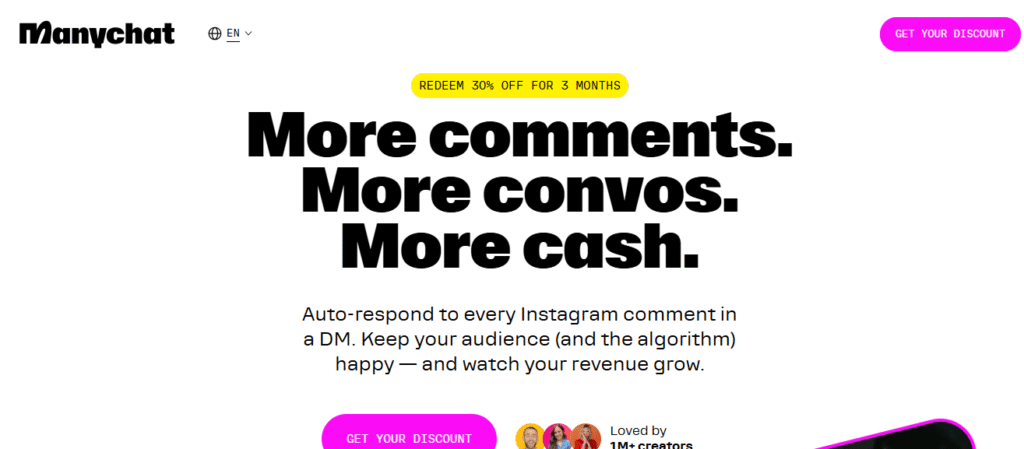
ManyChat – AI Chatbot Platform.
ManyChat is a chatbot builder for Facebook Messenger, Instagram, and SMS. It includes AI features like ChatGPT integration, so the bot can answer complex questions. Marketers use ManyChat to automate customer support and capture leads.
For example, an online store might use ManyChat to answer FAQs or recommend products via chat. ManyChat’s flow builder and AI make it easy to set up interactive experiences.
Pricing: Free for basic; Pro plans from ~$15/month.
Main uses:
- Automated customer service via Messenger or SMS.
- Lead generation: qualify leads through chat conversations.
- Integrations: connect chat data to CRM or email lists.
26. Chatfuel
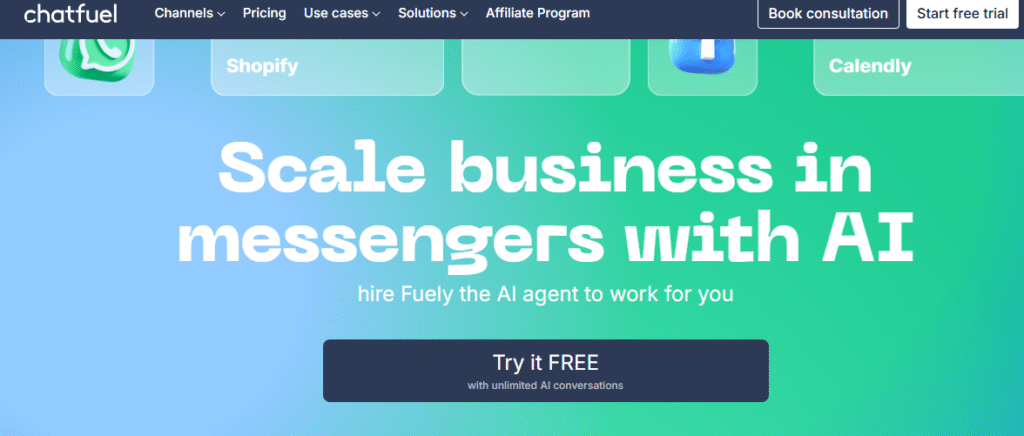
Chatfuel – Facebook Messenger Bot Builder.
Chatfuel lets brands create AI chatbots on Facebook Messenger and Instagram. It includes AI-like features (e.g. understanding user messages) to answer questions or collect info. Many e-commerce and service brands use Chatfuel bots to handle inquiries when staff are offline. Its visual interface means no coding is needed.
Pricing: Free for basic bots; Pro plans for advanced features and more users.
Main uses:
- 24/7 automated replies on social media.
- Broadcast messages to subscribers.
- Integrate with e-commerce (send order updates via chat).
27. Drift
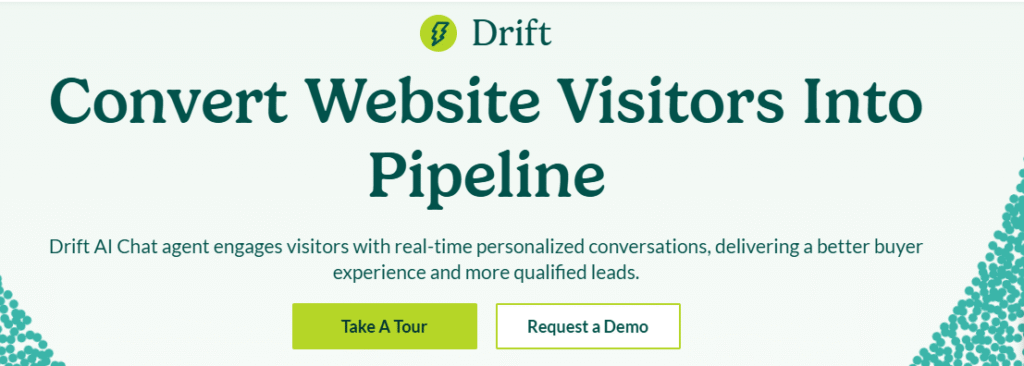
Drift – Best Conversational AI Marketing Tool.
Drift is a chatbot platform for B2B websites. Its AI identifies visitor behavior (like frequent visits to pricing page) and can initiate chat “Are you considering a purchase?” Drfit’s bots can also book meetings automatically.
Many sales teams use Drift so leads get fast answers and reps only get the most qualified chats.
Pricing: Packages start around $4000/year for basic bot.
Main uses:
- Website chatbots that engage visitors based on behavior.
- Lead qualification (asks qualifying questions automatically).
- Schedule meetings and handoff to live sales reps.
AI Ad & Social Media Tools
28. Albert.ai
Albert.ai – Autonomous Ad Management.
Albert is an AI platform that manages paid ad campaigns automatically. You feed it your goals and ad assets (creative, copy, targeting), and Albert will test variations, adjust bids, and allocate budget 24/7.
For example:
it might shift more budget to high-converting ads in real time. Major brands use Albert to scale online ads with minimal manual effort.
Pricing: Custom quotes (typically enterprise-level budgets).
Main uses:
- Automated ad optimization across channels (Google, Facebook, etc.).
- Audience discovery: AI finds new target audiences.
- Budget allocation: shifts spend dynamically to best performers.
29. Pattern89 ( Wavemaker)
Pattern89 (Wavemaker) – AI for Social Ads.
Now Pattern89 is Aciqured by shutterstock – Best AI Marketing Tool
Pattern89 analyzes historical ad performance to predict what will work. It can suggest the best image or text combination for a Facebook or Instagram ad. Media teams use it to boost ad creative quality. (Pattern89 has been acquired by InSkin Media, so it may be rebranded.)
Main uses:
- Predictive recommendations for ad creatives.
- A/B testing assistance (suggest winning variations).
30. PaveAI
PaveAI – Best AI Marketing Tool for Automated Analysis and AI Analytics Reporter.
PaveAI connects to Google Analytics and turns data into easy-to-read reports. Its AI “translates” numbers into actionable insights, telling marketers what campaigns or pages are underperforming and why. Small teams use PaveAI to get quick analyses without digging through GA manually.
Pricing: Plans from around $49/mo.
Main uses:
- Auto-generated marketing reports (with recommendations).
- Turn Google Analytics data into plain-English insights.
31. Hotjar / Crazy Egg
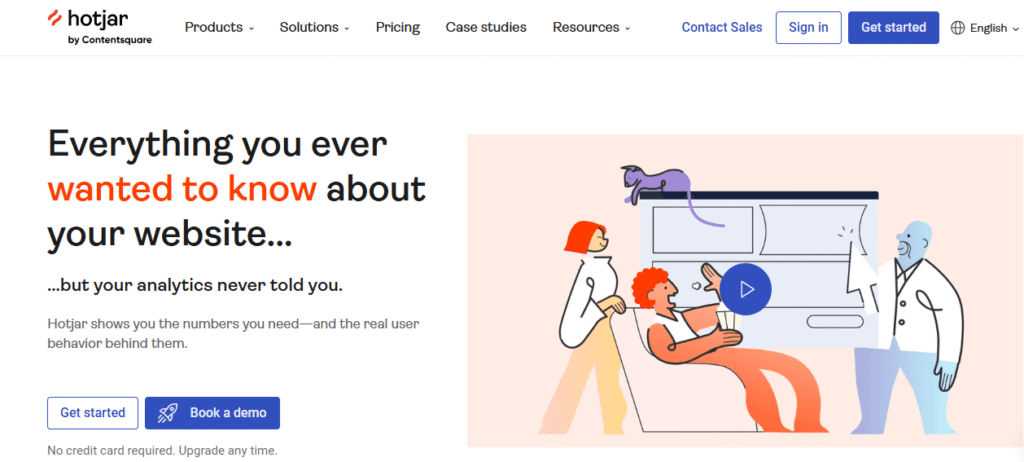
Hotjar / Crazy Egg – AI Heatmaps & Recordings.
Tools like Hotjar collect user behavior (heatmaps, recordings). Their machine learning can highlight trends like “users rage-click here” or “scrolls stopped at point”. Marketers use these insights to redesign pages and improve conversions.
Main uses:
- Heatmaps: see where users click or scroll.
- Session recordings: watch visitors navigate sites.
- AI tips: highlight UX issues (like broken links or repetitive clicks).
AI for Market & Stock Analysis
32. TrendSpider
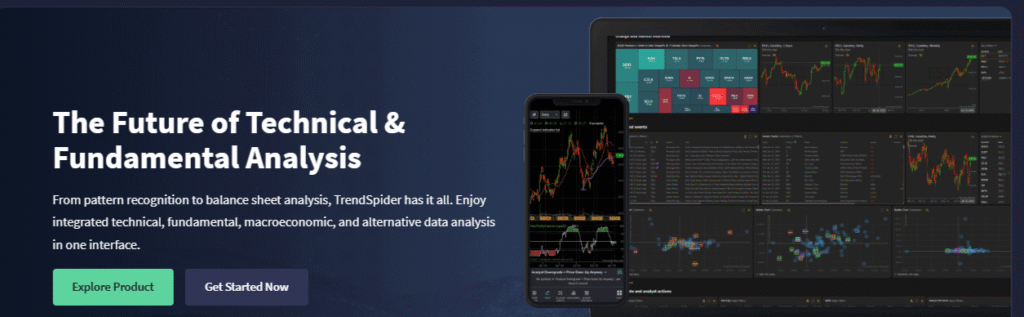
TrendSpider – Automated Charting & Technical Analysis.
TrendSpider is a trading tool with AI-driven chart analysis. It automatically draws trendlines, detects patterns (like triangles, head-and-shoulders), and backtests strategies without coding. Traders use it to save time on technical analysis.
For example:
instead of manually drawing support lines, TrendSpider uses algorithms to update them as prices change.
Pricing: Plans start around $50–$100/month.
Main uses:
- Automated trendline and pattern detection on stock charts.
- Backtesting trading strategies without coding.
- Smart alerts for price movements.
33. Trade Ideas ( Holly AI )

Trade Ideas (Holly AI) – AI Stock Trading Signals.
Trade Ideas uses an AI named “Holly” to scan U.S. markets and generate daily trade suggestions. It analyzes millions of chart patterns each night to find the best setups for breakouts or reversals.
Traders can also use its built-in simulated trading and “bot” to auto-execute trades. Active traders use Holly’s picks as a starting point for their analysis.
Pricing: Basic $89/mo; Premium $178/month.
Main uses:
- Daily AI-generated trade alerts (named after its Holly algorithm).
- Real-time market scanning for long/short opportunities.
- Built-in backtester and automated execution bots.
34. Tickeron
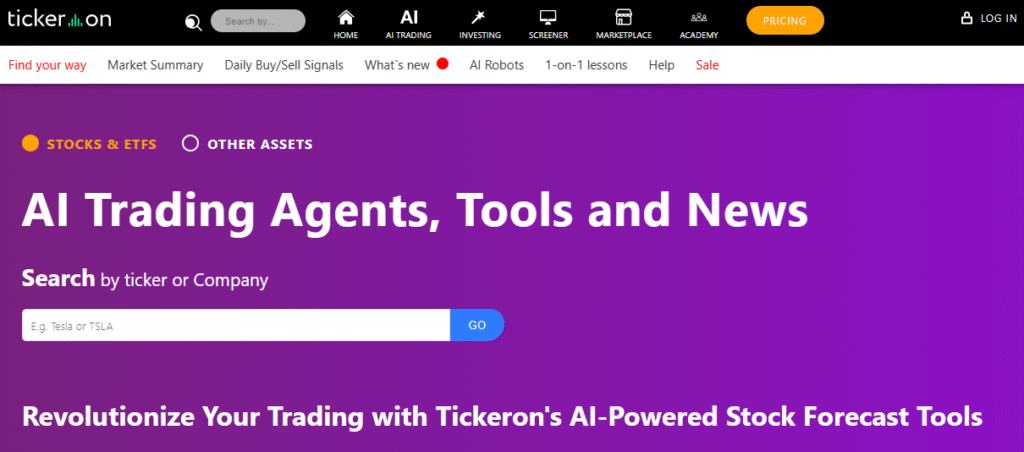
Tickeron – AI Forecasting Platform.
Tickeron offers a suite of AI-powered stock forecasting tools. It has “Trend Prediction” AI that forecasts price movements and pattern search engines.
For example:
it can generate 10-minute to weekly trend predictions for S&P 500 and other markets. It also provides “AI Golden and Death Cross” signals. Tickeron is used by traders looking for data-driven market timing.
Pricing: Free registration; premium features (signal agents) from ~$25/month.
Main uses:
- AI-generated price forecasts (short-term trend predictions).
- Pattern search: find historical analogs to current market patterns.
- Real-time “AI Agents” that alert on new signals.
35. Kavout
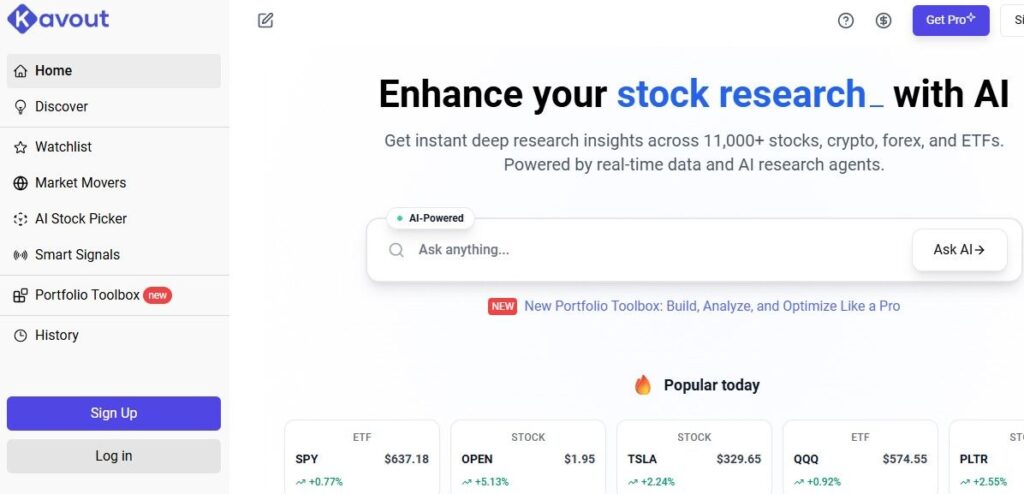
Kavout – AI Stock Analysis Platform.
Kavout uses machine learning to rate stocks and predict moves. Its key features include K Score (an AI stock rating), Smart Signals (event-driven alerts), and InvestGPT (a ChatGPT-style assistant for investment queries).
For example:
you can ask InvestGPT “what growth stocks should I buy?” and it will suggest options. Kavout covers equities and crypto.
Free tier; Pro $20/mo; Premium $49; Business $69.
Main uses:
- AI stock screening (find stocks by custom criteria).
- Conversational assistant for investment ideas (InvestGPT).
- Sentiment analysis on news and social data.
AI Market Research Tools – For predicting market and consumer trends, AI tools include:
- Google Trends (not exactly AI, but shows search interest patterns).
- Semrush Trends (new AI-driven trend analysis).
- IBM Watson Discovery or AlphaSense (AI market research engines).
These tools analyze huge datasets (news, social, search) to surface trending topics or consumer sentiment.
FAQs (Frequently Asked Questions)
Which AI tool is best for the stock market?
No single tool “best” fits all, but some top AI stock tools include Trade Ideas, TrendSpider, and Kavout. Trade Ideas (Holly AI) generates daily trade signals across U.S. stocks.
TrendSpider offers automated charting and pattern detection. Kavout provides a ChatGPT-like assistant (InvestGPT) and AI-driven stock ratings.
The ideal choice depends on your needs: e.g., Trade Ideas for active traders seeking alerts, Kavout for idea generation, or trend analysis tools if you rely on technical patterns.
Is there any AI tool for the stock market ?
Yes. Beyond the ones above, there are tools like Tickeron (AI forecasting agents), TipRanks (AI analyst ratings), and Accern (AI news analysis).
Some trading platforms (e.g. TradingView) have AI plugins. Even general AI chatbots (like ChatGPT) can help analyze stock data. Many investors use multiple AI services: one to generate stock picks, another to manage execution.
What are AI marketing tools?
AI marketing tools are software that use artificial intelligence to help with marketing tasks. This includes tools for content creation (e.g. ChatGPT writing blog posts), SEO optimization (Surfer SEO suggesting keywords), advertising (Albert.ai automating ads), analytics (Brand24 tracking brand mentions), and more.
Essentially, any marketing software that uses machine learning or AI is an AI marketing tool. They help teams work faster (automating repetitive tasks) and smarter (finding hidden insights in data).
For example :
An AI email tool might predict the best send time, or an AI chatbot tool might answer customer queries automatically.
What are AI tools used for digital marketing?
Many AI tools support digital marketing. Some examples: HubSpot, ActiveCampaign, and Mailchimp use AI for email campaigns (optimizing send times, subject lines).
Hootsuite and SproutSocial use AI for social media scheduling and analytics. Google Analytics 4 uses AI to highlight trends in website data.
Frase, MarketMuse, and Semrush analyze web content to improve SEO. Chatbots like ManyChat and Chatfuel handle customer chats. Advertisers use Albert.ai or Pattern89 to automate online ads.
These tools cover everything from content to social to ads – all leveraging AI to boost results
What are the best AI tools for marketing?
Some of the top AI marketing tools (in no particular order) include:
ChatGPT (general content and ideas), Jasper AI (AI copywriting), Copy.ai (content automation), Surfer SEO (SEO optimization), Frase (content research), Semrush (AI content templates).
ActiveCampaign (email marketing AI), HubSpot AI (CRM and chatbots), Brand24 (social listening), Zapier/Gumloop (automation), Grammarly (writing aid).
Hootsuite/SproutSocial (social media AI features), and ad tools like Albert.ai.
The “best” tool depends on your needs: for content, Jasper or Writesonic; for SEO, Surfer or MarketMuse; for ads, Albert; for email, ActiveCampaign; for analytics, Google Analytics or PaveAI.
What are the best AI tools for market research?
AI market research tools help gather consumer insights. Leading ones include Brand24 (social and news monitoring).
BuzzSumo (analyzes trending content), SimilarWeb (website analytics), and SurveyMonkey’s Genius (AI survey design).
Tools like ChatGPT or Google’s Bard can also help by summarizing reports or generating survey questions.
For competitive research, Ahrefs and Semrush (with AI content tools) analyze competitors’ websites and keywords.
Some newer tools (like AlphaSense) use AI to scan financial filings for trends. These tools help identify what customers want and what competitors are doing.
What are the top AI tools for marketing automation?
Marketing automation tools often include AI features. Top choices are Zapier and Gumloop, which automate workflows across apps (e.g. CRM to email to ad platforms).
Email marketing platforms like ActiveCampaign, Mailchimp, and HubSpot have AI for smart send times and personalization.
Drift and ManyChat automate chat conversations.
For ads, Albert.ai fully automates campaign management. Essentially, any tool that triggers marketing actions based on conditions can be part of marketing automation; AI-enhanced versions learn and adjust those triggers over time.
Can Ahrefs AI integrate with other marketing tools or platforms?
Ahrefs’ AI features (like the Content Helper) are currently integrated within the Ahrefs platform itself. There isn’t a direct plug-in to other marketing tools like Zapier.
However, you can export data (e.g. keyword lists or briefs) from Ahrefs and import them into other systems. Ahrefs also offers an API for developers, so technically you could build a custom integration.
But out of the box, Ahrefs AI works in its own interface, helping with SEO content research and optimization.
How can AI tools help in affiliate marketing?
Affiliate marketers can use AI tools to streamline content creation and analysis.
For example :
Jasper or Writesonic can write product reviews, landing page copy, or email newsletters promoting affiliates. AI SEO tools (Surfer, Frase) help optimize those pages to rank higher and drive organic traffic. AI chatbots can answer product questions, increasing conversions. Email tools can automatically segment and message affiliate subscribers. Even image generators (Canva’s AI or Lexica) can create fresh product images.
In short, AI reduces manual work: it suggests winning topics, writes drafts, predicts customer behavior (which products will sell), and analyzes which affiliate links perform best.
What are the best AI tools for affiliate marketing?
Affiliate marketers often rely on content and traffic tools. Top picks include Jasper AI and Copy.ai for creating review articles and ad copy.
Grammarly for polishing text, and Surfer SEO or Frase to optimize affiliate site content for search engines.
Social media affiliates might use ChatSonic or Canva’s AI for quick visuals. Email affiliates benefit from ActiveCampaign’s AI sequencing.
If selling products online, ManyChat chatbots can capture leads via Messenger.
Essentially, any AI tool that helps you create persuasive content or find the right audience can boost affiliate earnings.
How to use AI tools in marketing?
Start by identifying tasks: content, ads, analytics, etc. For content creation, use AI writing tools (e.g. ChatGPT, Jasper) to draft articles or ads, then refine them.
For SEO, use Surfer or MarketMuse to analyze keyword gaps and improve your text. To automate outreach, set up email campaigns in ActiveCampaign with predictive sending and let AI pick the best times.
Automate workflows by connecting apps in Zapier or Gumloop (e.g. “new email subscriber → send a welcome email”). Use chatbots (ManyChat, Chatfuel) to answer customer queries 24/7.
For data, let tools like Google Analytics 4 or PaveAI generate insights for you. Always treat AI as an assistant: check its output, and customize it for your brand. Over time, measure what works (A/B test ads) and adjust the AI tools accordingly.
What are the best AI tools for predicting market trends?
Several AI platforms predict broader market or consumer trends. For stock/crypto markets, we mentioned TrendSpider, Trade Ideas, Kavout, and Tickeron (all use ML to forecast price trends).
For digital markets, Google Trends shows search trends (no AI per se), and tools like Semrush Trends analyze keyword trends.
PaveAI and Google Analytics can forecast site traffic or conversions. Social trend prediction can come from BuzzSumo or Brand24 (what topics are about to explode).
Finally, enterprise tools like Salesforce Einstein or SAP Predictive Analytics use AI on customer data to forecast sales. The “best” will depend on whether you’re looking at financial markets, consumer behavior online, or internal business KPIs.
Conclusion – final thought Regarding 35 Best AI tools for Marketing in 2025.
AI marketing tools are transforming how businesses reach customers. By automating boring tasks, generating creative content, and analyzing data at scale, AI gives companies an edge.
Adopting AI tools is no longer optional – it’s key to keep up with competitors. As Marketer Milk notes, AI brings “scalability, reach, efficiency, [and] cost savings” to marketing.
Even small teams can now act like large agencies. We encourage you to try a few top tools from this list – many have free trials or freemium plans. Experiment: use an AI writer for your next blog post, or set up a simple chat bot for customer support. Monitor results and refine your approach. The best way to learn is by doing.
So, which AI marketing tool will you try first? Perhaps start with a simple one like ChatGPT or Grammarly to save time today, and explore others (like Surfer SEO or Zapier) as you grow. With the right AI tools, even a beginner marketer can achieve impressive results.